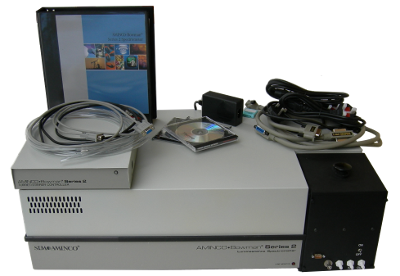
On this page I have several simple procedures listed. Posting this sort of thing in public could carry liability without a clear disclaimer. These procedures are only basic suggestions. You must determine if any of these procedures are safe before carrying them out or having someone else carry them out. I am not to be held accountable for anything that might go wrong as a result of following these procedures/suggestions correctly or incorrectly. Aminco Bowman Series II Top Cover Removal: If the instrument is not powered on, please unplug the instrument. There is a bleeder resistor that should drain away all the high voltage in a few seconds but just for a margin of error, wait a few minutes. However if the instrument is still on please switch the lamp enable switch to off and then unplug it and wait a few minutes. If your Aminco Bowman has fixed lenses in the sample compartment and says "Thermo" on the front, then you have one of the most recent versions. There is a single screw holding the top cover on at the back left corner. If your sample lenses are removable, you can just lift the top cover off your instrument. Aminco Bowman Lamp Removal: Please follow the top cover removal procedure. The lamp assembly is at the rear left. If it is possible for you to rotate the instrument so that this corner of the instrument is near you, that would be best. You will see a black block, screwed into the lamp assembly and covering the ends of the high voltage cables feeding the lamp. Please carefully remove this block, being certain not to touch any other part. While the bleeder resistor should have removed all of the high voltage, the circuit could have failed. Agood double check for this is to wear suitable gloves, such as lineman's gloves, take a screw driver and holding it by the handle, short the leads together. Now unscrew the cables from the lamp assembly. Please unplug the fan. At the front of the lamp assembly, a black light shield will be screwed to the assembly. Please remove it and please do not ship it. I do not need it to rebuild or test the lamp assembly and it is fragile. Aminco Bowman CPU Board Removal: These boards have a blue ribbon connector that needs to be removed. You can then gently pry at the tabs on the top of the circuit board one at a time and the board will come lose. Aminco Bowman High Voltage Board Removal: These boards just pull up and out. Sometimes they can require a bit of force to remove but you can just gently pry at the tabs on the top of the circuit board one at a time and the board will come lose. LS50B Top Cover Removal Please unplug the instrument. The circuit should not require time to drain away high voltage but just as an added precaution, wait a few minutes. There are two large slot screws at the front bottom of the instrument. Please unscrew them. They are captive screws and should remain attached to the base.. The cover is on a hinge, it just lift it up as you would a car hood. There is also a brace on the right side of the instrument, again just like you would with a card hood, locate the brace and the hole on the bottom of the top cover that it will fit into. -CPU Board Repairs Sometimes they can require a bit of force to remove but you can just gently pry at the tabs on the top of the circuit board one at a time and the board will come lose. -Instrument Control Board Repairs There are two gray cables that need to be pulled out of their sockets You can then pry gently at the tabs on the top of the circuit board one at a time and the board will come lose. -Motor Control Board Repairs There are three ribbon cables that need to be removed and then the board can be pulled out of it's socket If the board does not come out easily, you can gently pry at the tabs on the top of the circuit board one at a time and the board will come lose. -Packing / Policy If you want to send parts to me for evaluation or repair, please wrap them with paper or if they are electronic parts, please place them in an anti-static bag if available. Alternatively you could wrap circuit boards in paper but please do not wrap in shrink wrap. I do not charge for evaluations.